Practical Guide
How to register a Nigeria or US App Store region and change your region
This guide to registering a Nigeria App Store account also applies to other regions, including the US and Canada. Save it for reference.
10 min read
Current situation
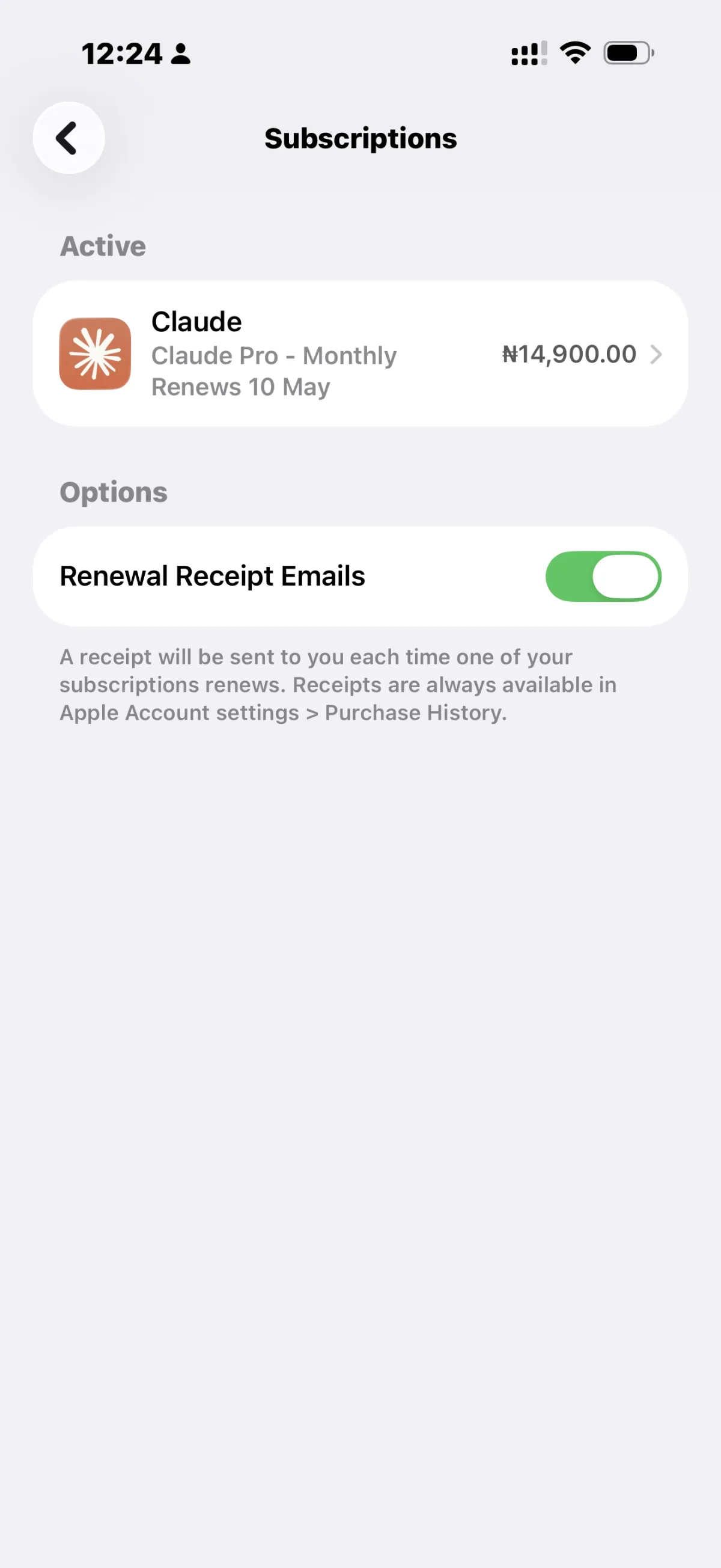
Claude subscriptions in the Nigeria storefront can currently be significantly cheaper. Compared with the China storefront, the difference can be close to CNY 60. That is why many people have recently been researching how to register a Nigeria Apple ID.
For many people, the first step goes smoothly: registering directly on the iCloud website is often quick. But when they log in to the App Store, their expectations can be quickly disappointed. The account region may switch back to China or unexpectedly become another region, such as Turkey.
This situation is common and can have several causes. One common reason is that the device previously had a China-region or another-region Apple account signed in, so the system may retain the previous region information. When you try to switch back to Nigeria, the system may then ask you to add a payment method, such as a credit card.
This is where many people get stuck: linking a domestic Mastercard may result in a message that the card is unsupported. After reaching this point, some people assume the process is impossible and give up.
There is no need to panic. Reaching this point does not mean the process has failed permanently. The issue may still have a solution.
Registration method
Use the following steps as a reference. If you have already registered an account, skip to the region-change steps.
1. Register
1. Use a global proxy throughout the process and make sure the network exit is outside mainland China.
2. Register a new account on iCloud first. You can use a +86 phone number, and this step is usually completed quickly.
3. Sign in to this new account on your phone. You may find that the account's Region has been changed to China automatically, or that it inherited the region of the account previously signed in on the device, such as Turkey.
2. Change the region
If the current region is not the one you expected, do not panic. The account region can be changed.
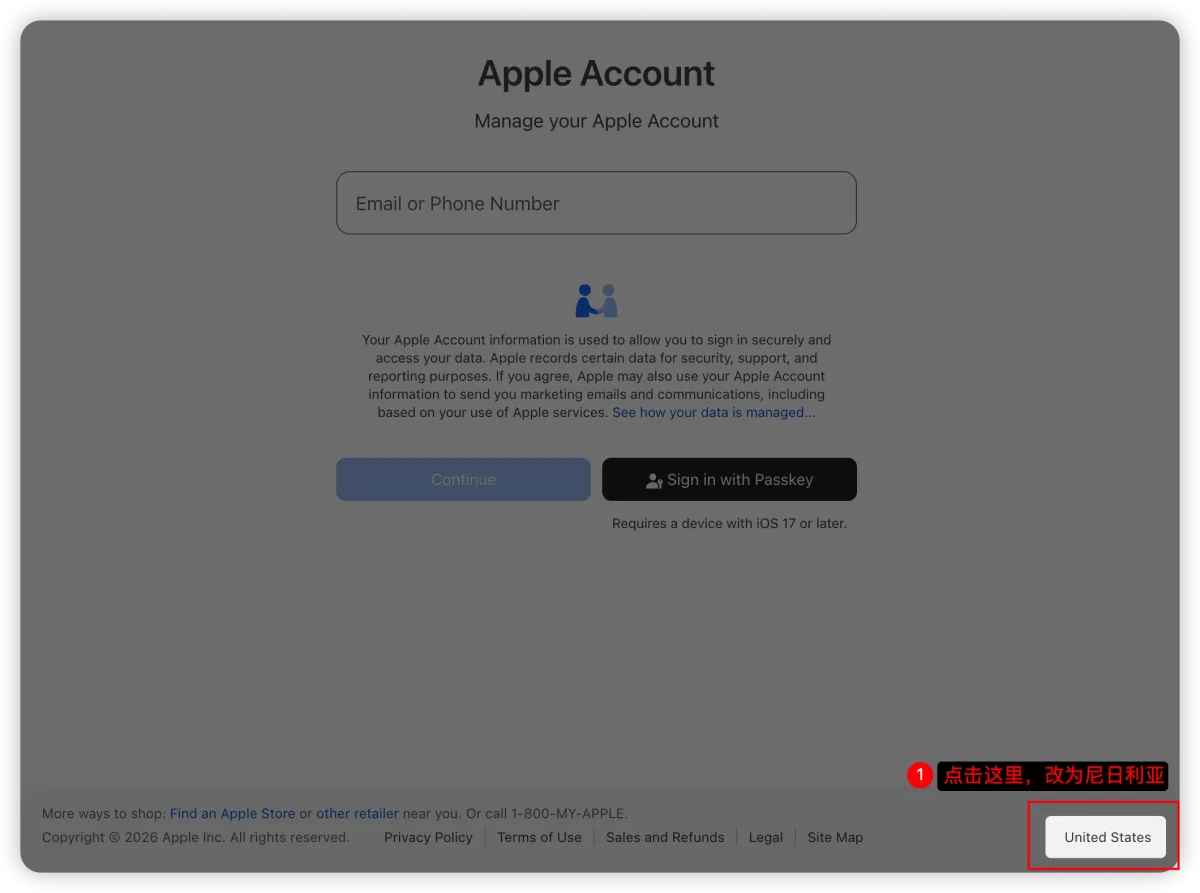
1. Open https://account.apple.com/sign-in. As shown below, click the country in the lower-right corner. In my example, it is United States.
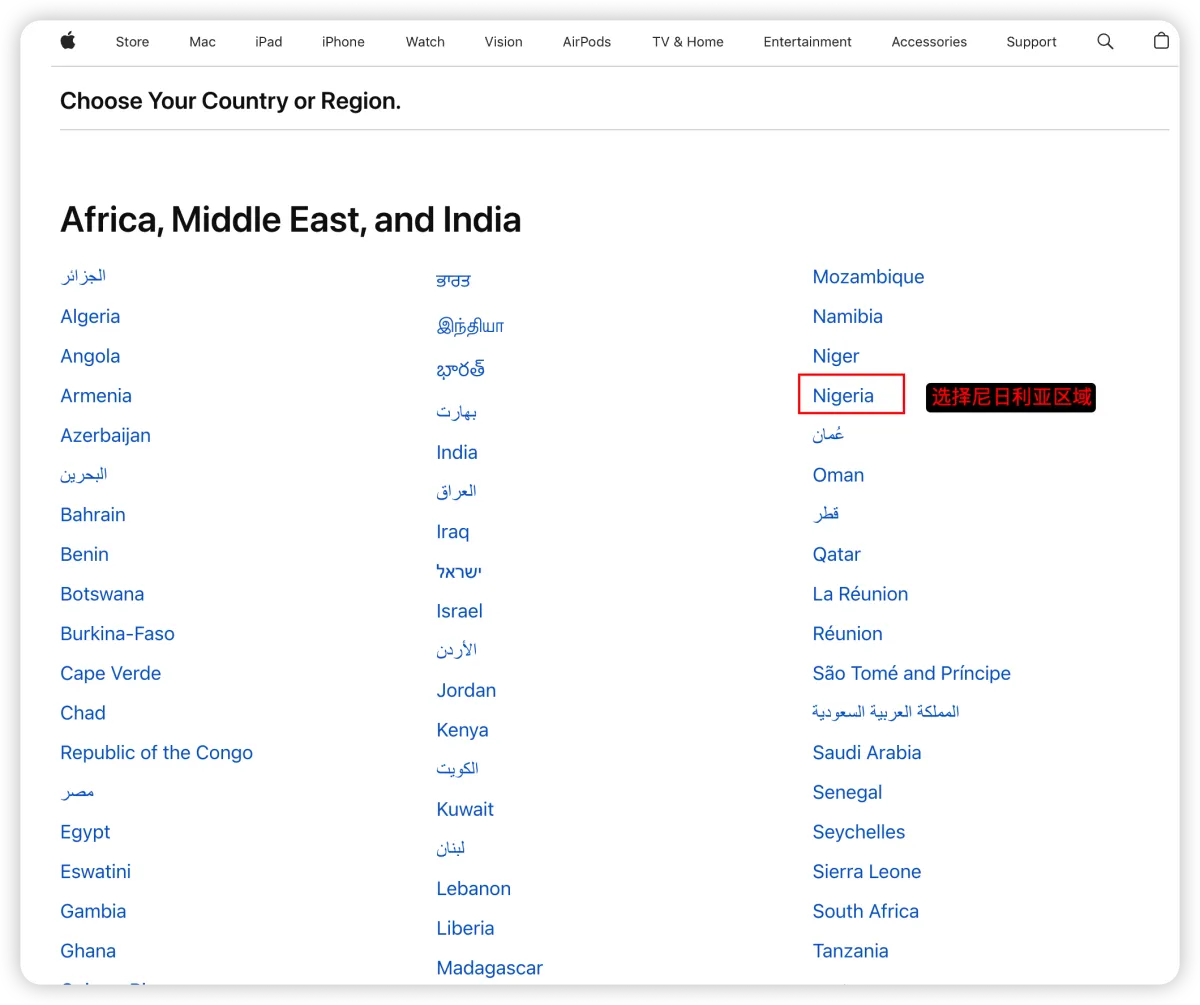
2. Select the Nigeria region on the page that opens.
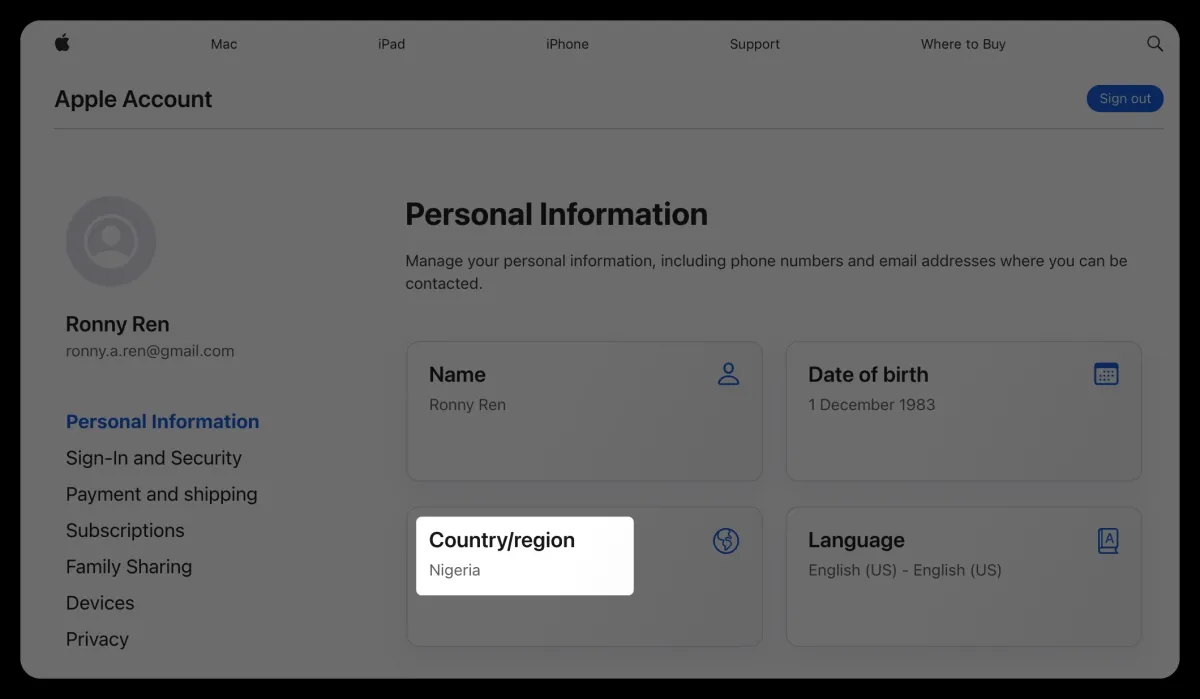
3. Sign in to your account, enter Account Management, and select Personal Information. You can view your current region there.
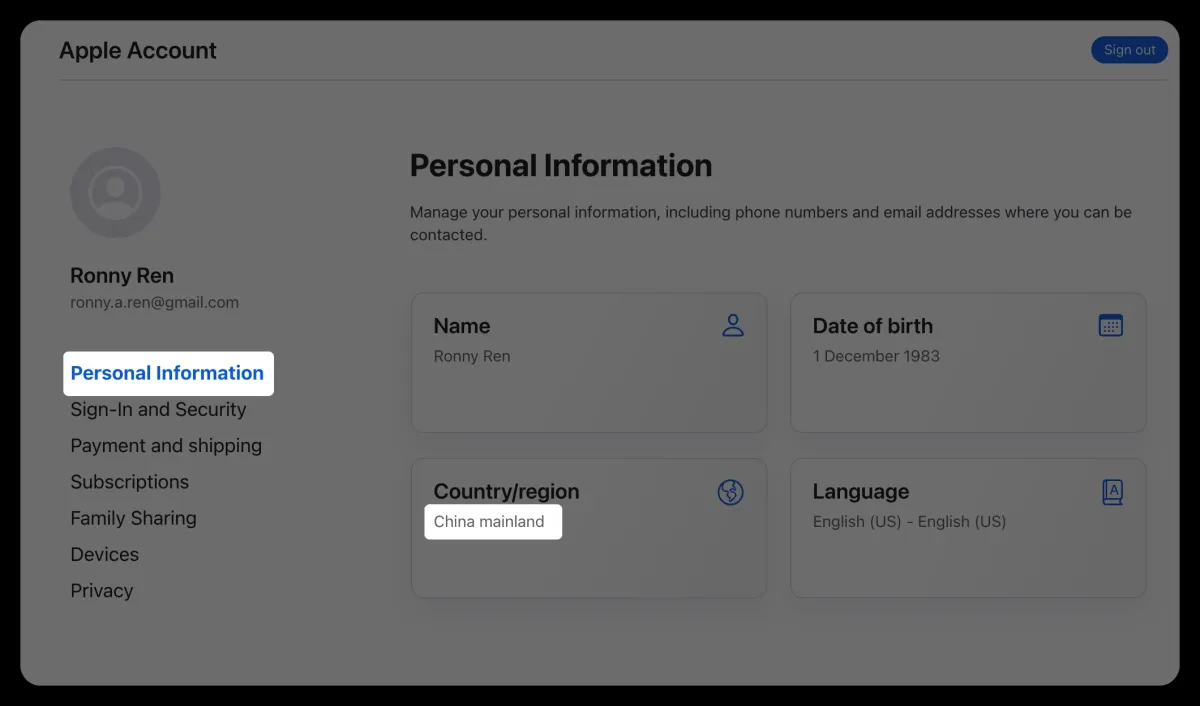
4. Change your region to Nigeria and continue to the next step, as shown below.
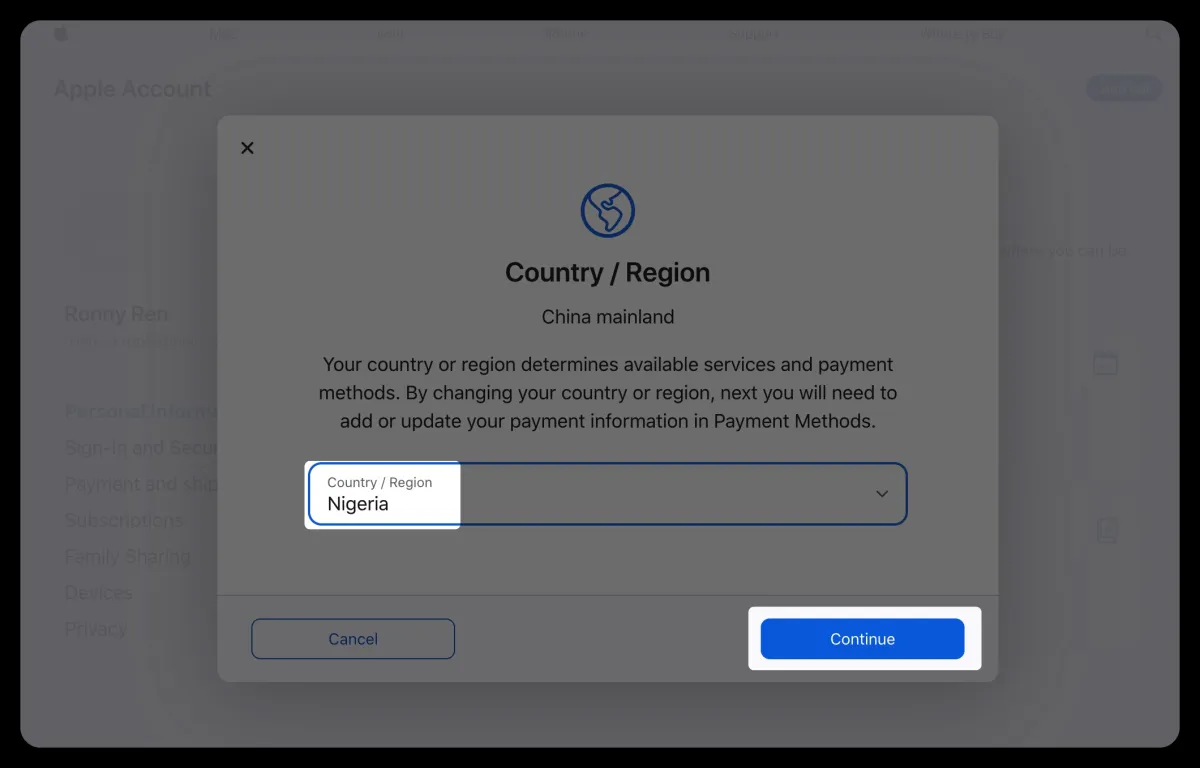
5. Continue to the next step and confirm the change when prompted.
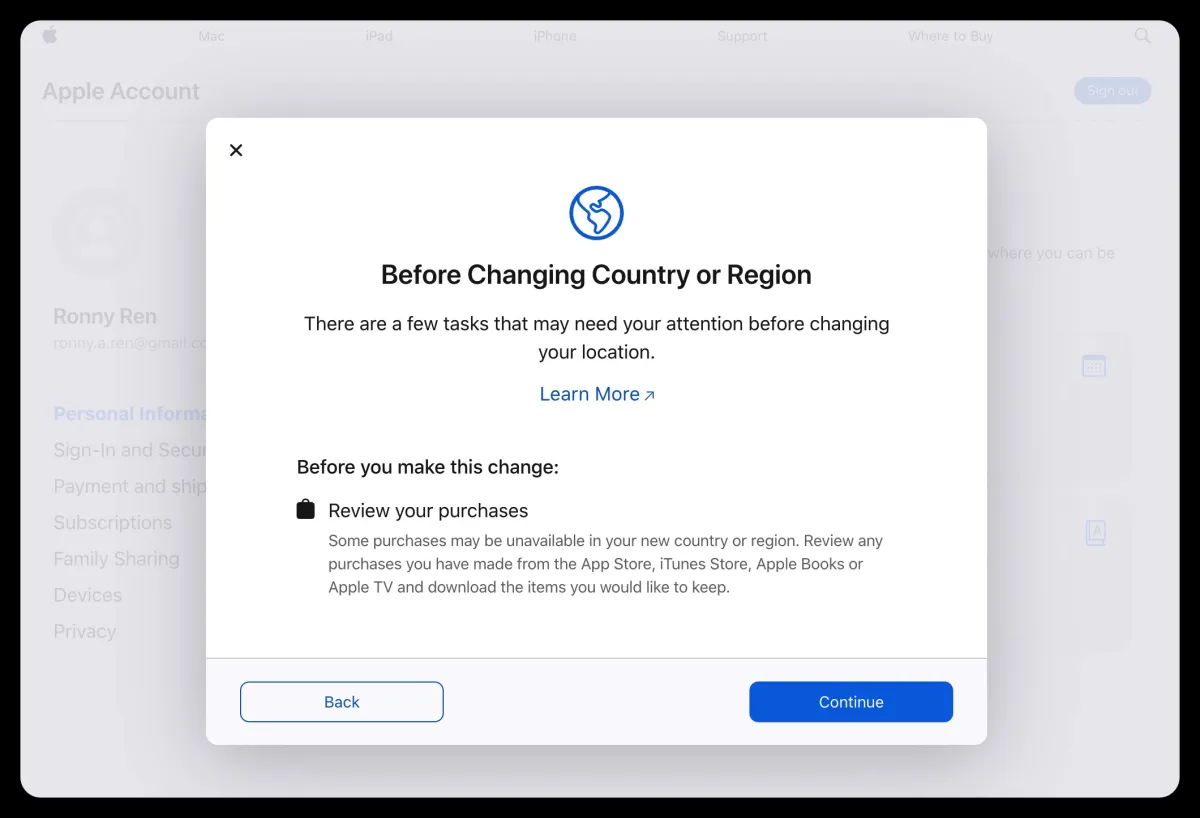
6. Continue to the next step and agree to Apple's terms.
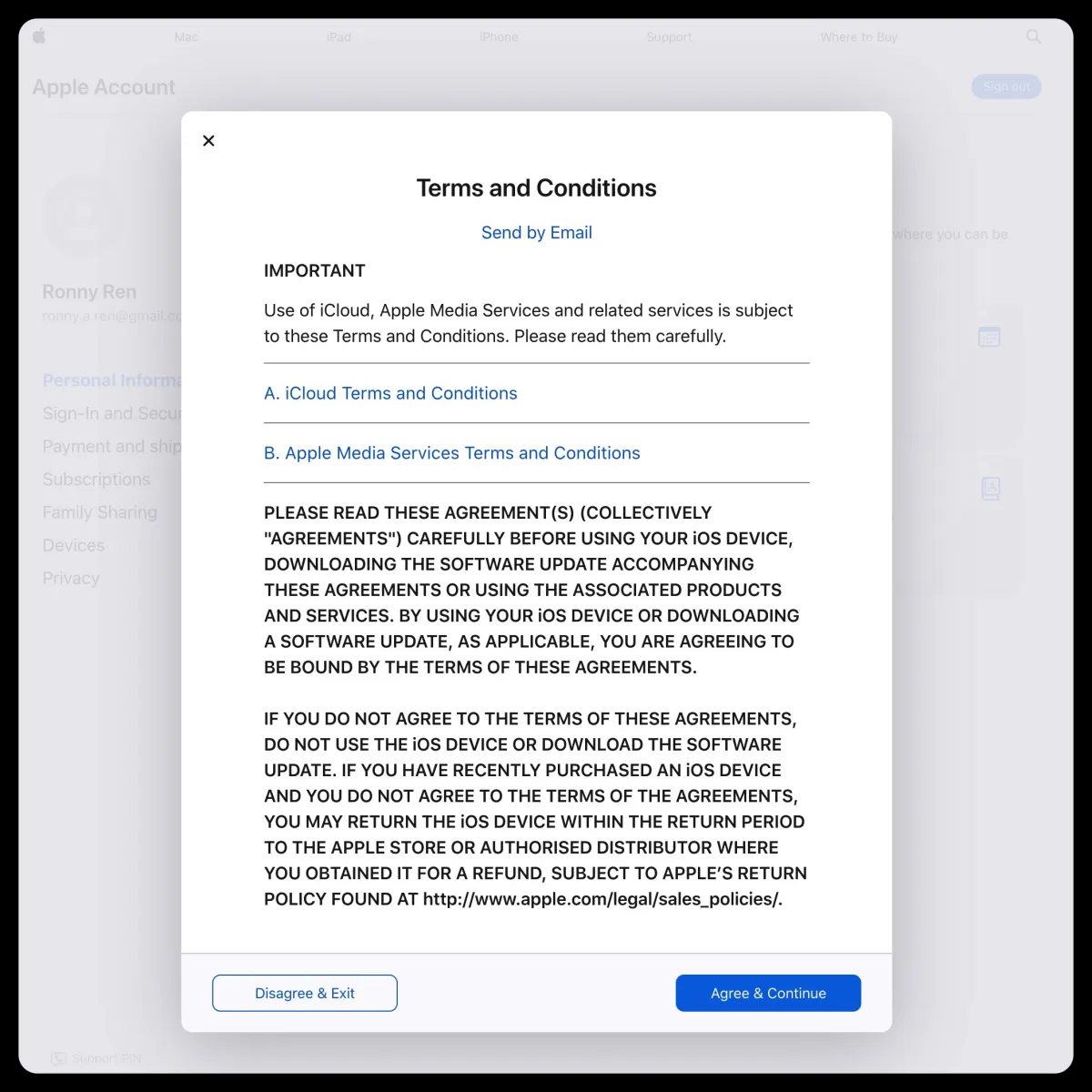
7. When adding a payment method, choose **None**. Make sure the address is in Nigeria; you can generate one with Google.
Important notes
- If steps 1 and 2 are not completed, the None option will not appear.
- Use Google to search for a street address in Nigeria.
- If you are changing to the US storefront, note that there are five US states without sales tax: Oregon, Alaska, Delaware, Montana, and New Hampshire.
- A global proxy is required; choose TUN mode.
After saving, you can see that the region change was successful.
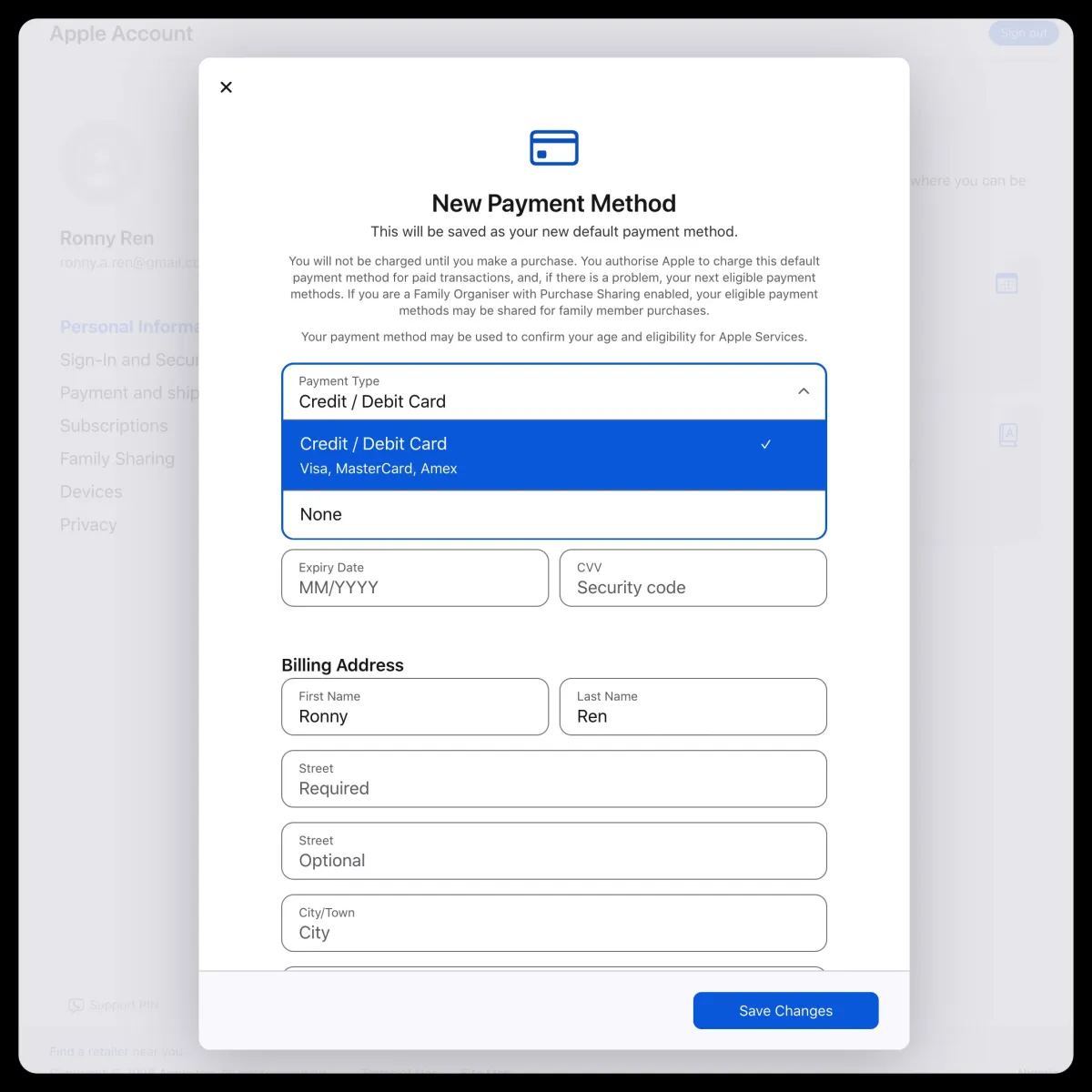
8. Check whether the change was successful
9. Sign in on the phone and redeem a gift card purchased on Xianyu
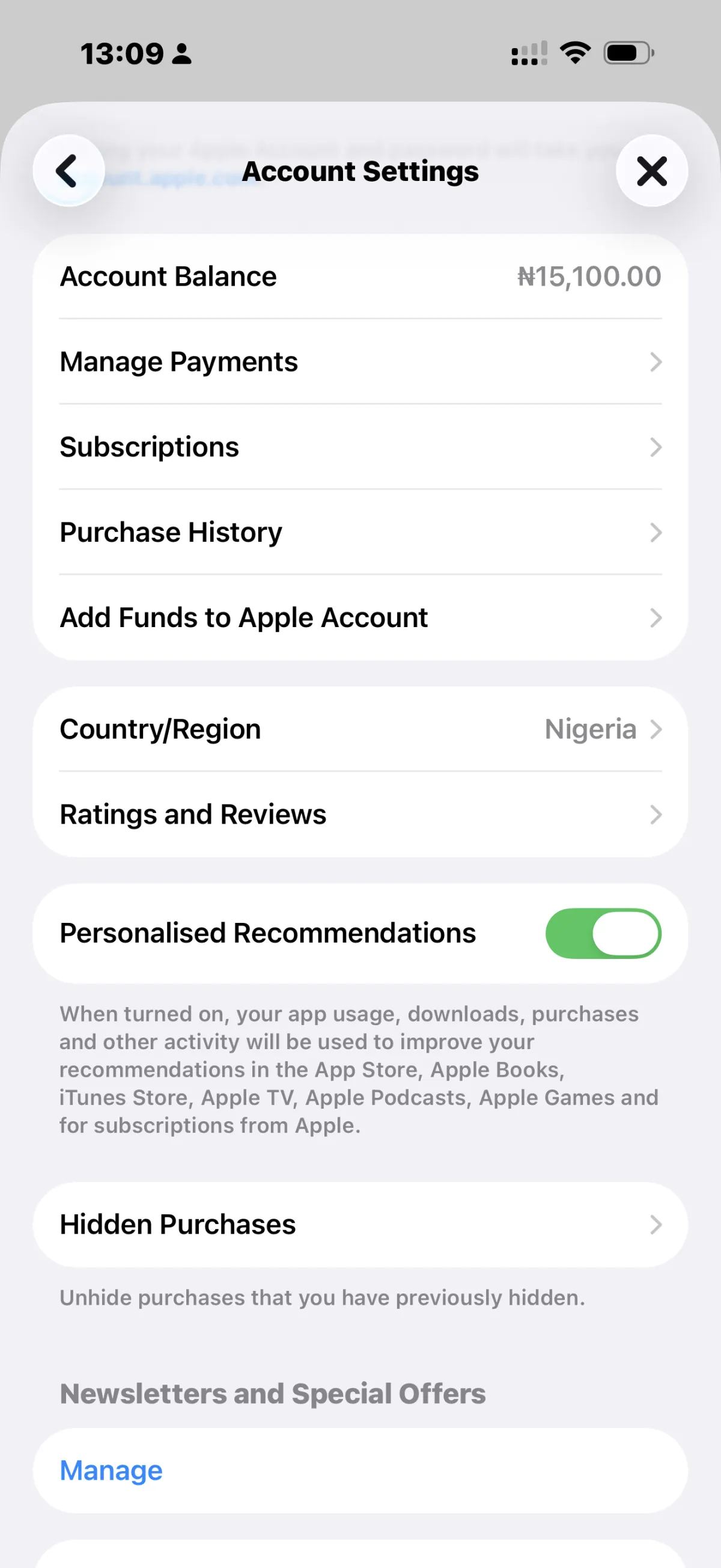
10. Subscribe to Claude with a gift card